See Midnight Ledger in action
These are real screenshots of the product on a demo company, not mockups. This is exactly what your books look like, from the first invoice to filing season.
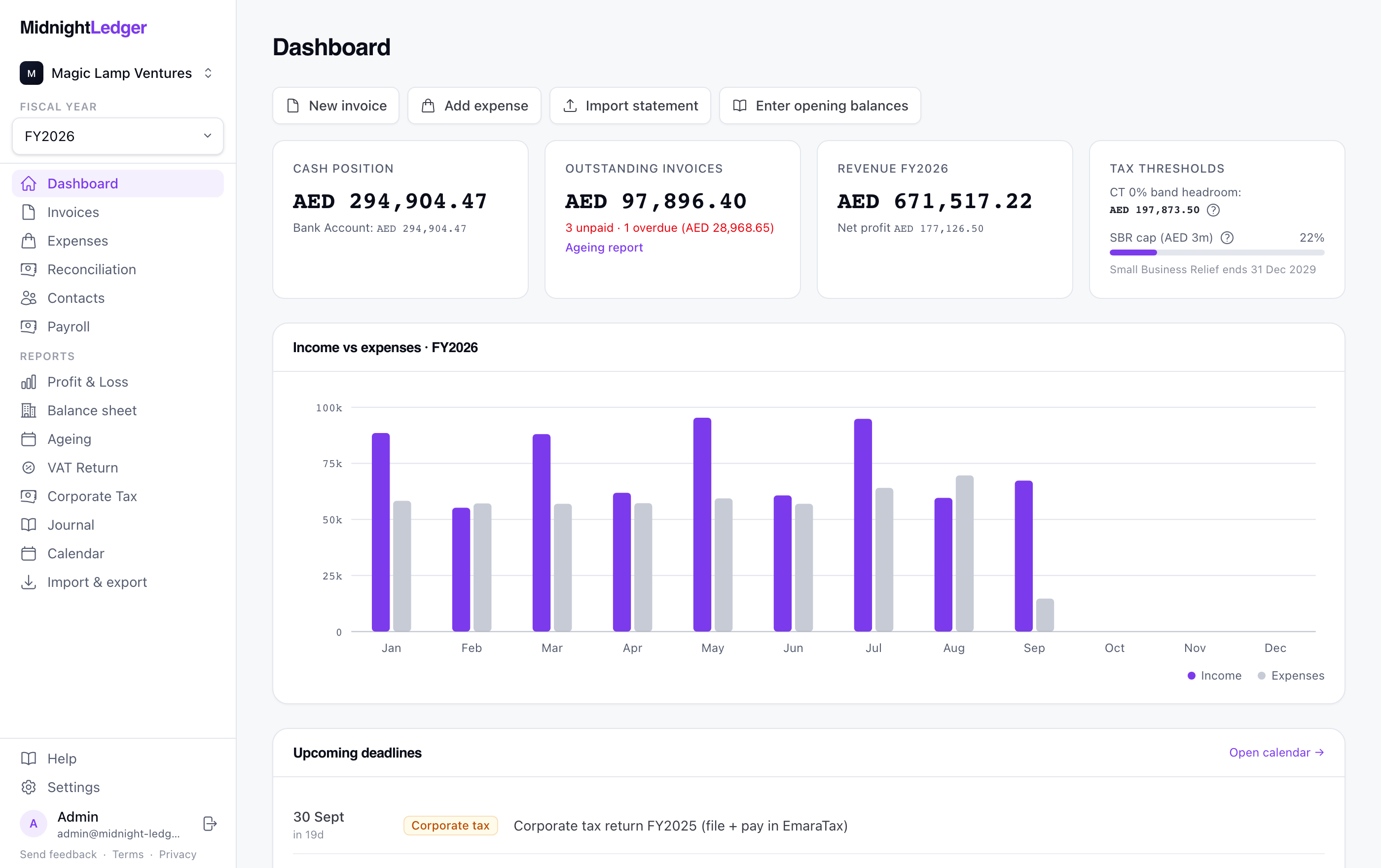
Your whole year on one screen
Cash, unpaid invoices, revenue, and how close you are to owing corporate tax. The dashboard answers the questions you would otherwise open a spreadsheet for.
- Cash position, receivables, and net profit at a glance
- Corporate tax headroom, Small Business Relief, and VAT registration thresholds tracked as you earn
- Overdue invoices flagged before they become a problem
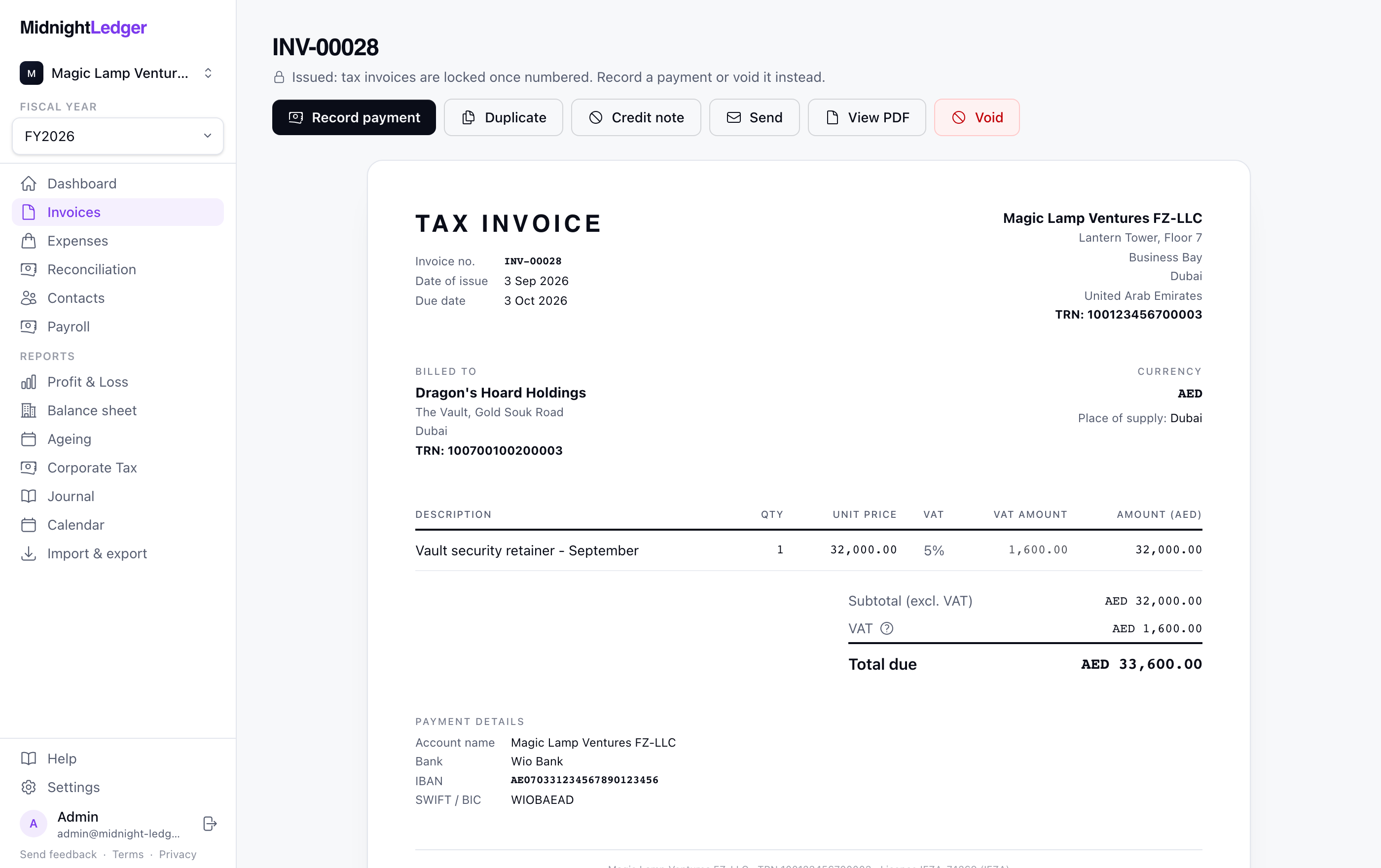
Invoices you edit like the paper they become
No form with twenty fields. You work directly on the invoice itself: click the part you want to change, and what you see is exactly the PDF your customer gets.
- A proper FTA tax invoice: TRNs, place of supply, gapless sequential numbering
- VAT worked out per line, with foreign-currency invoices converted at CBUAE rates
- Send by email, record payments, or issue a credit note from the same screen
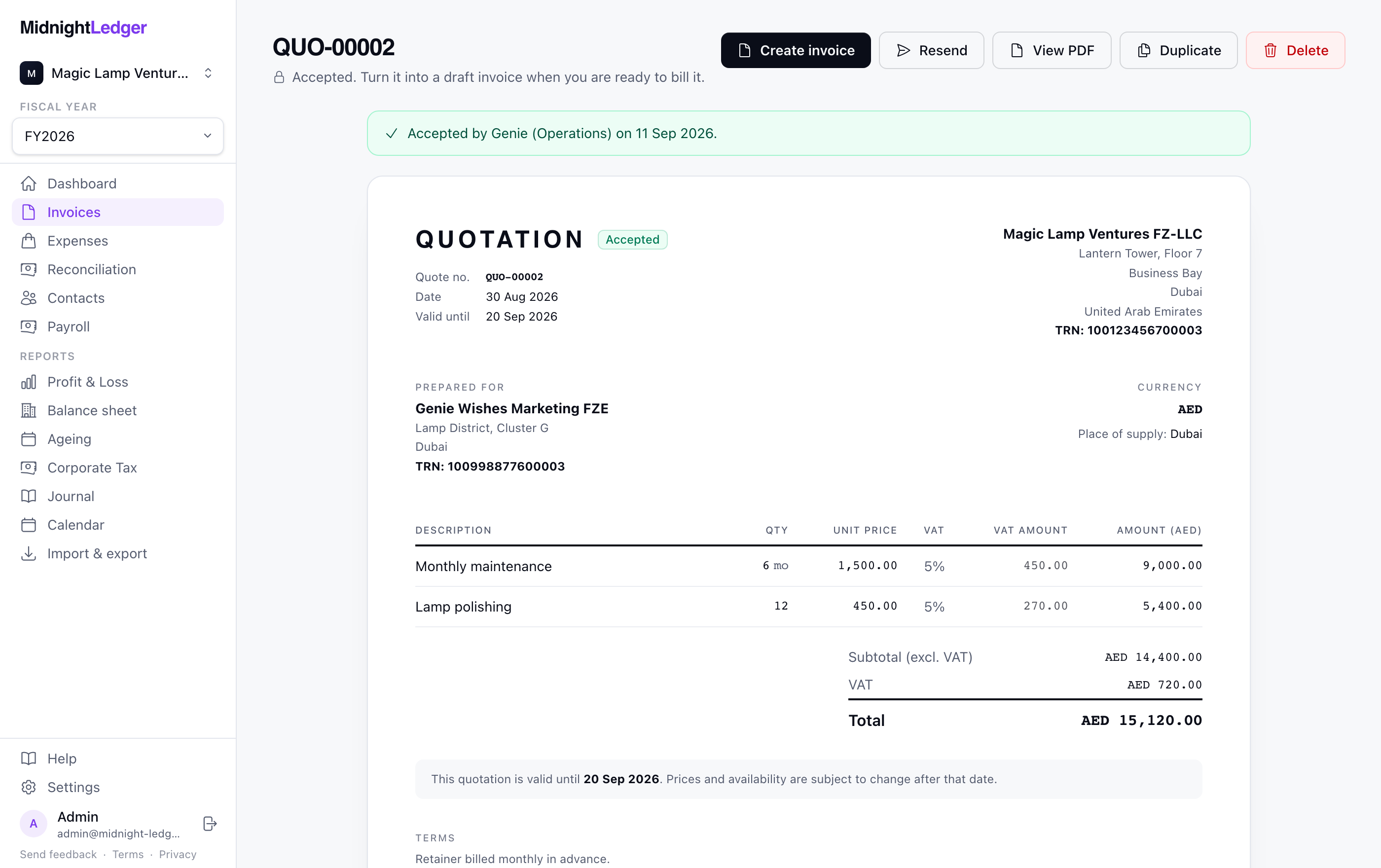
Win the work, then bill it
Send a quotation your customer can accept online. When they say yes it becomes a draft invoice with the same lines, ready for you to check and issue.
- Its own numbering, a validity date, and your terms on the paper
- Your customer reads it at their own link and accepts or declines there, or you record their answer yourself
- Accepted quotes become draft invoices line for line; nothing reaches your books until you issue
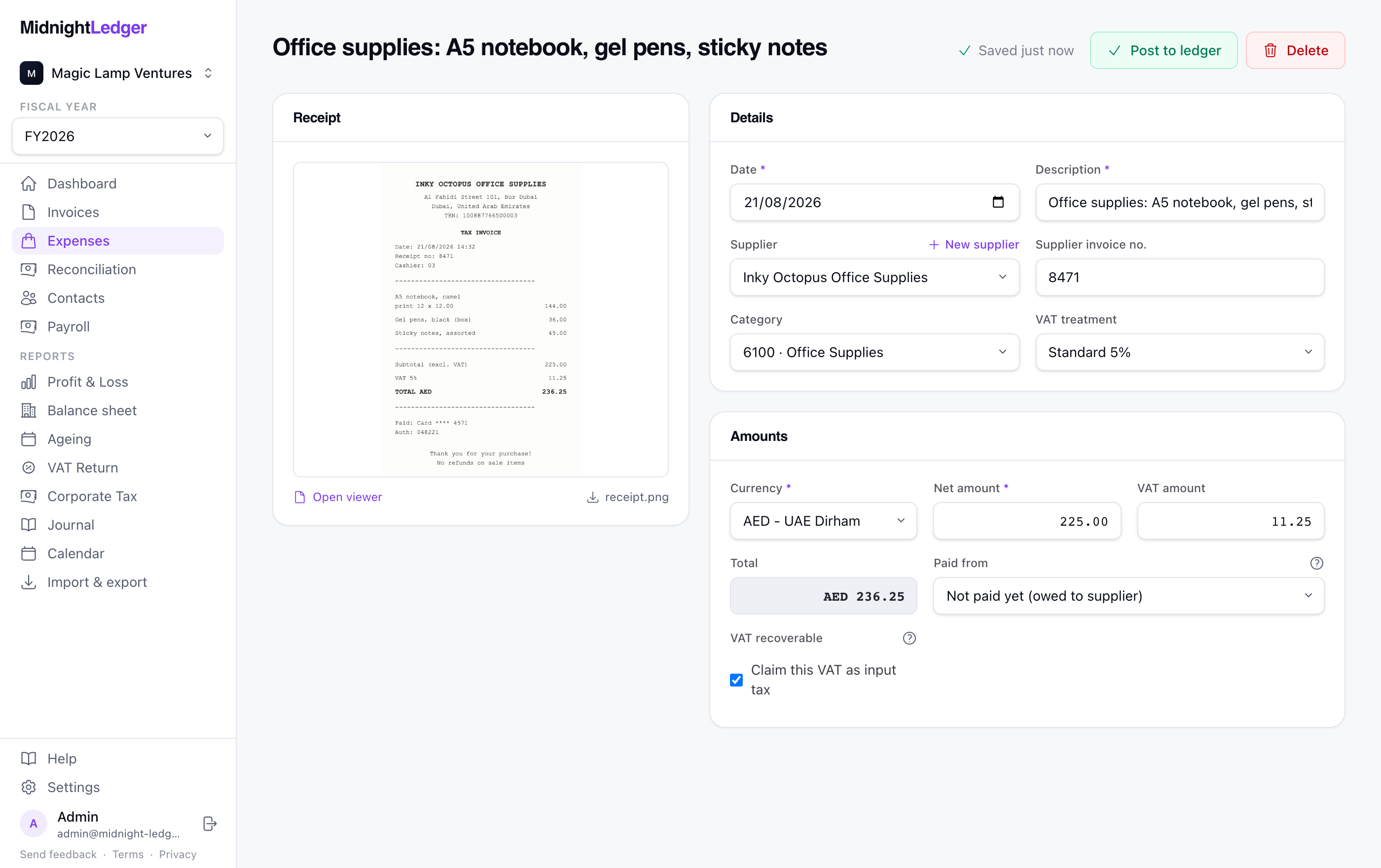
Drop a receipt, the bookkeeping does itself
This is a real extraction, not a mockup: the receipt on the left was read by AI, and every field on the right was filled in from it. You review, hit post, and the books are done.
- Amounts, VAT, supplier, and receipt number read straight off the photo
- Filed to the right expense category automatically
- Nothing posts until you have looked at it
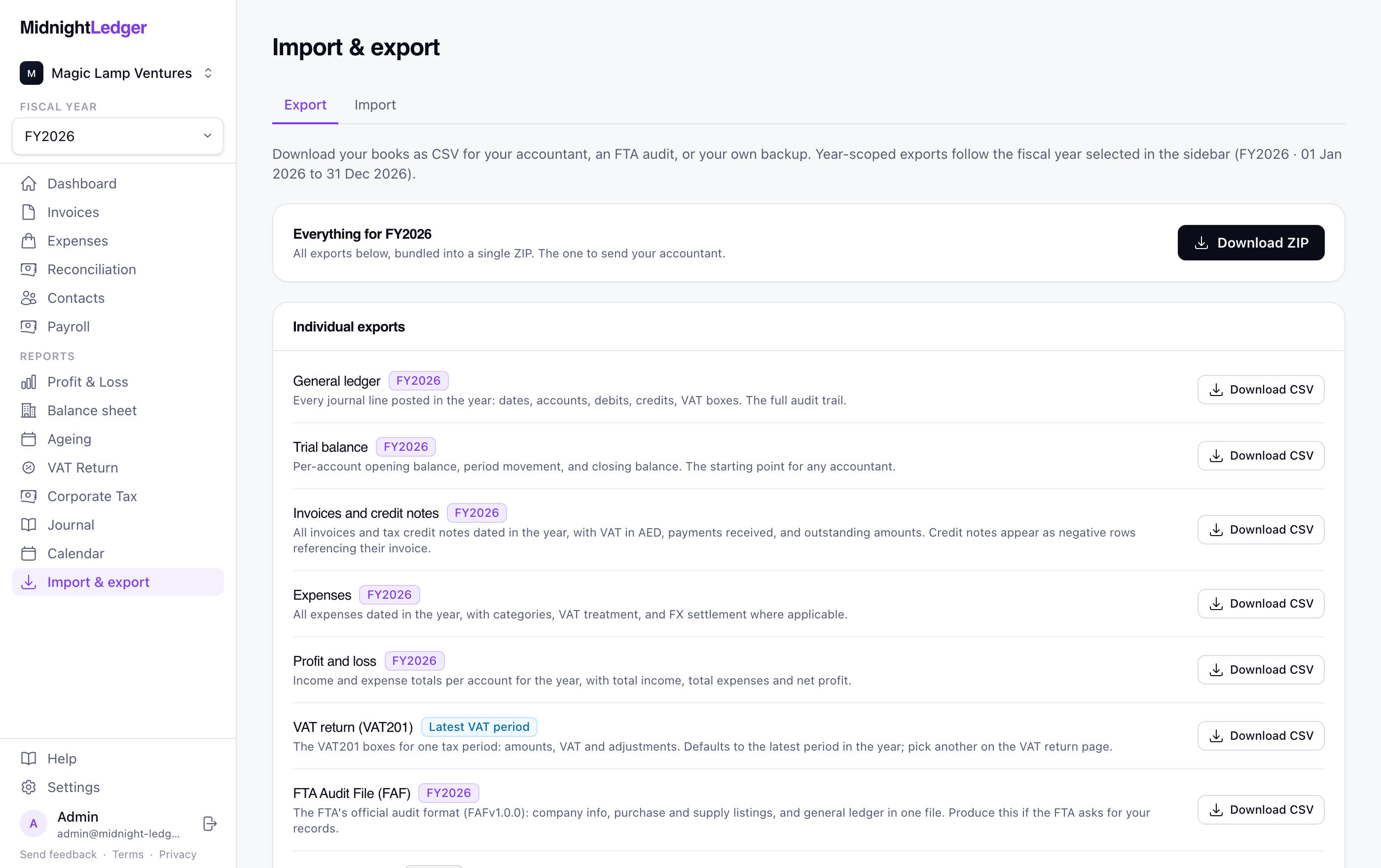
The VAT201, filled in as you work
Every invoice and expense lands in the right box of the official FTA form the moment it is posted. When the period closes, the return is already assembled.
- Mirrors the FTA form box for box, with standard sales split by emirate
- Reverse charge, zero-rated, and exempt supplies all end up where they belong
- Mark a period as filed and it locks, so the numbers you filed stay the numbers you filed
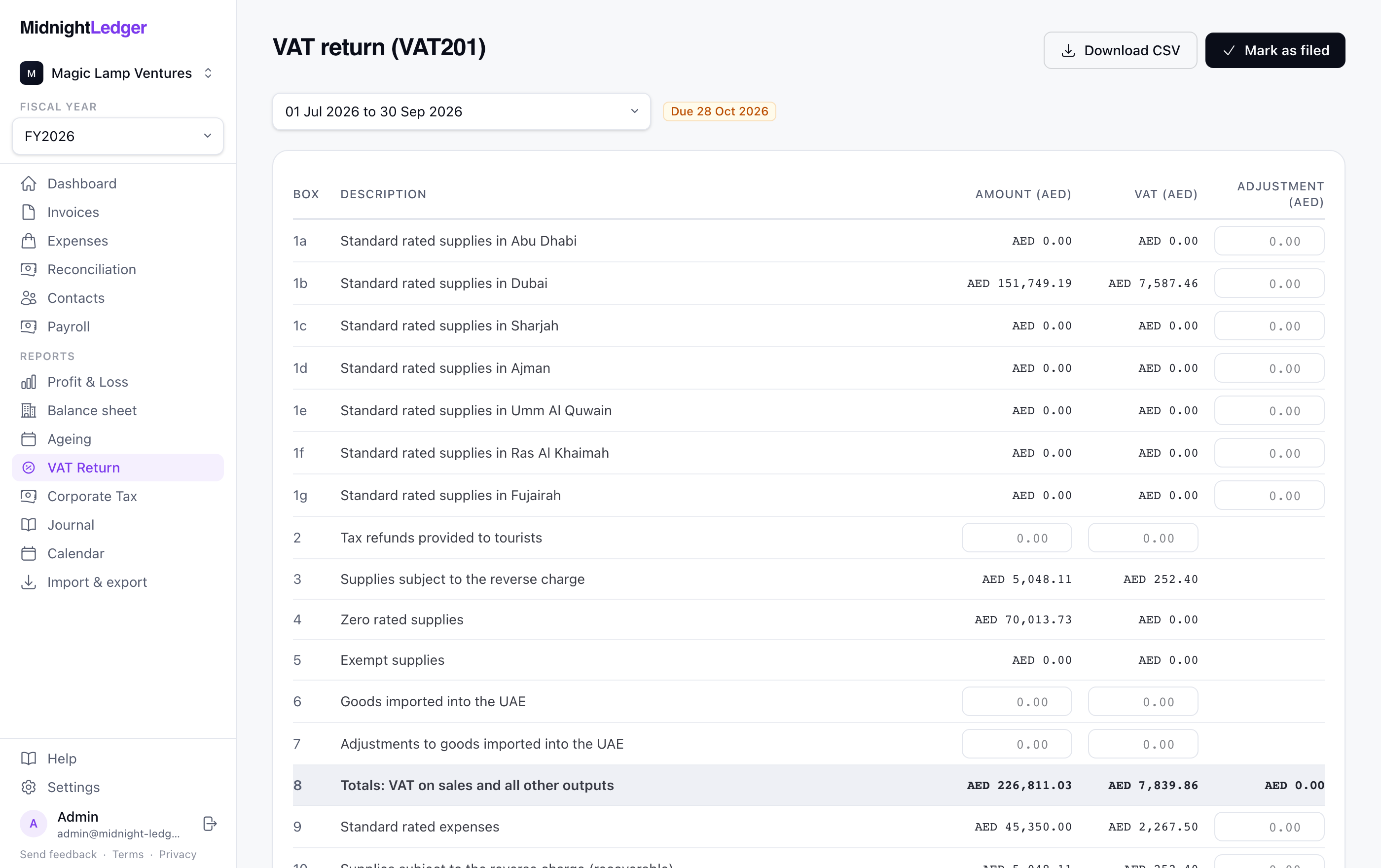
Your bank statement, matched to your books
Import a CSV from any bank. Transactions are matched to invoices, expenses, and payroll runs automatically, and whatever is left takes one click to resolve.
- Works with any bank that can export CSV, whatever the column layout
- Suggested matches for payments, expenses, and salary transfers
- Foreign-currency differences posted to FX gain or loss for you
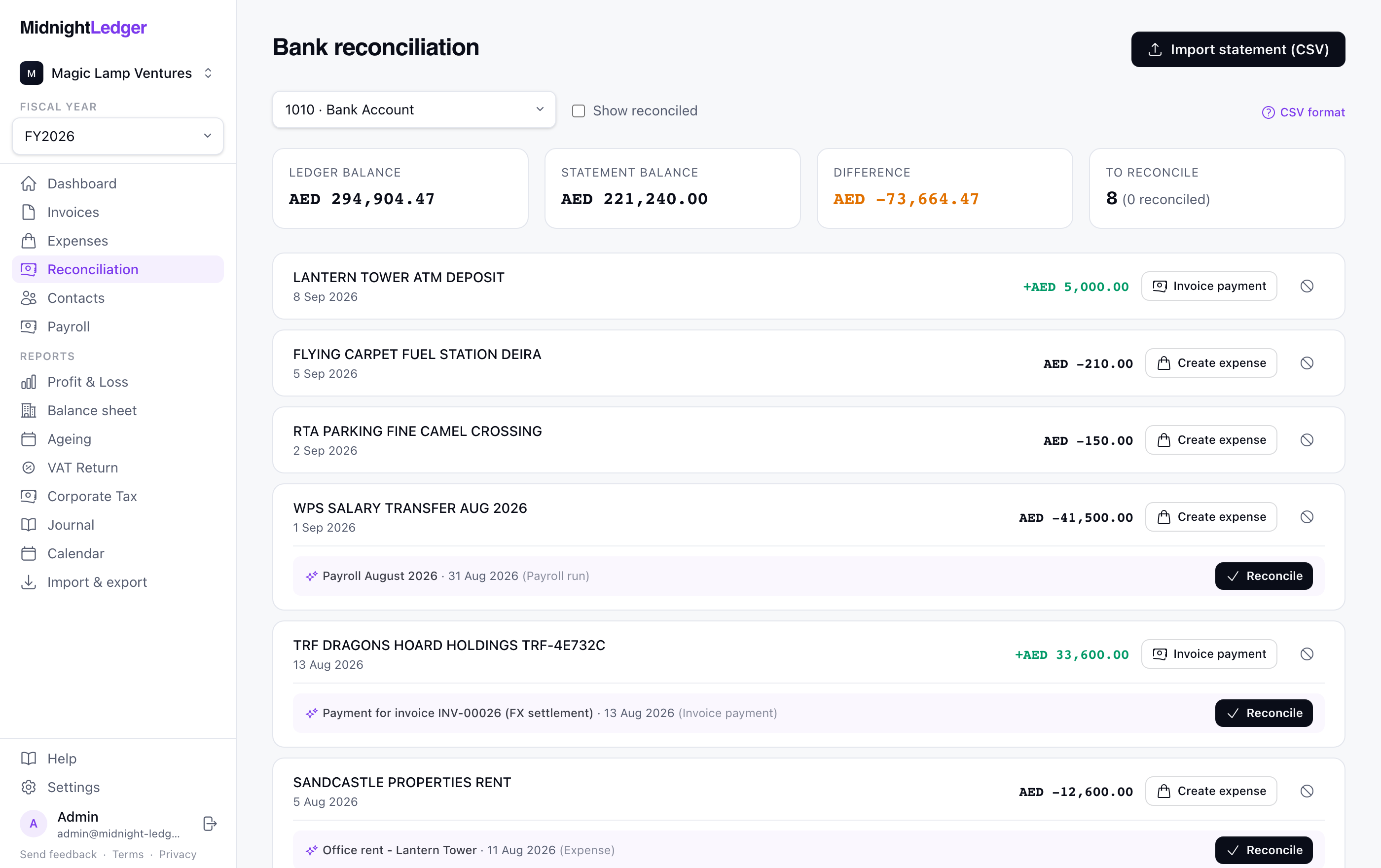
Payroll the UAE way
Monthly runs that know the local rules: WPS salary files for the bank, end-of-service gratuity accruing in the background, and pension contributions where they apply.
- WPS SIF file ready for your bank, with non-WPS staff handled too
- Gratuity accrual per employee, calculated the way the law says
- Payslip PDFs for the whole team in one click
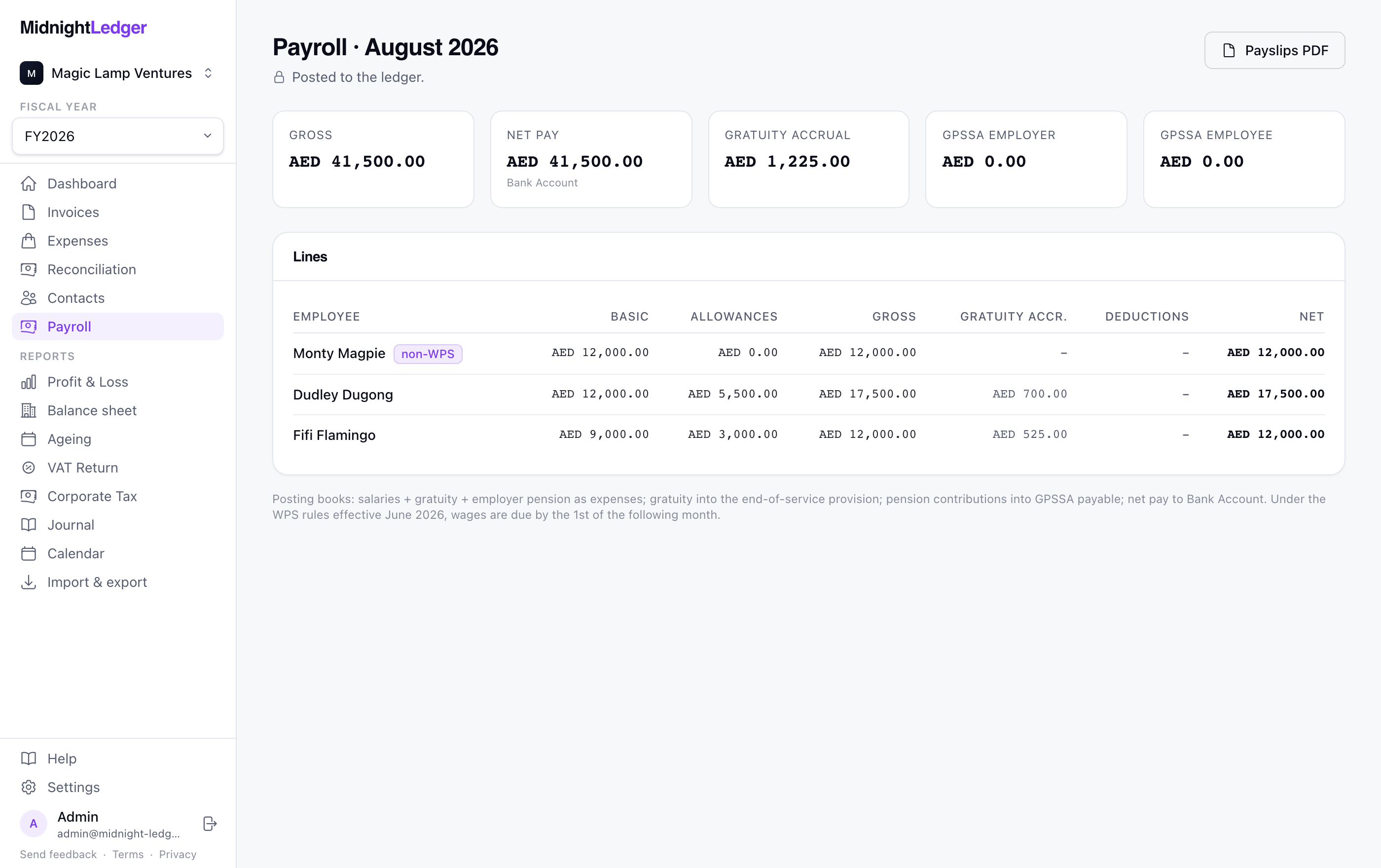
Everything exports, nothing is trapped
Your books belong to you. Download any report as CSV, or grab the whole year as one ZIP to hand to your accountant. If the FTA ever asks, the official audit file is one click.
- General ledger, trial balance, invoices, expenses, P&L, and more as CSV
- One ZIP with everything, made for handing to an accountant
- FTA Audit File (FAF) in the official format
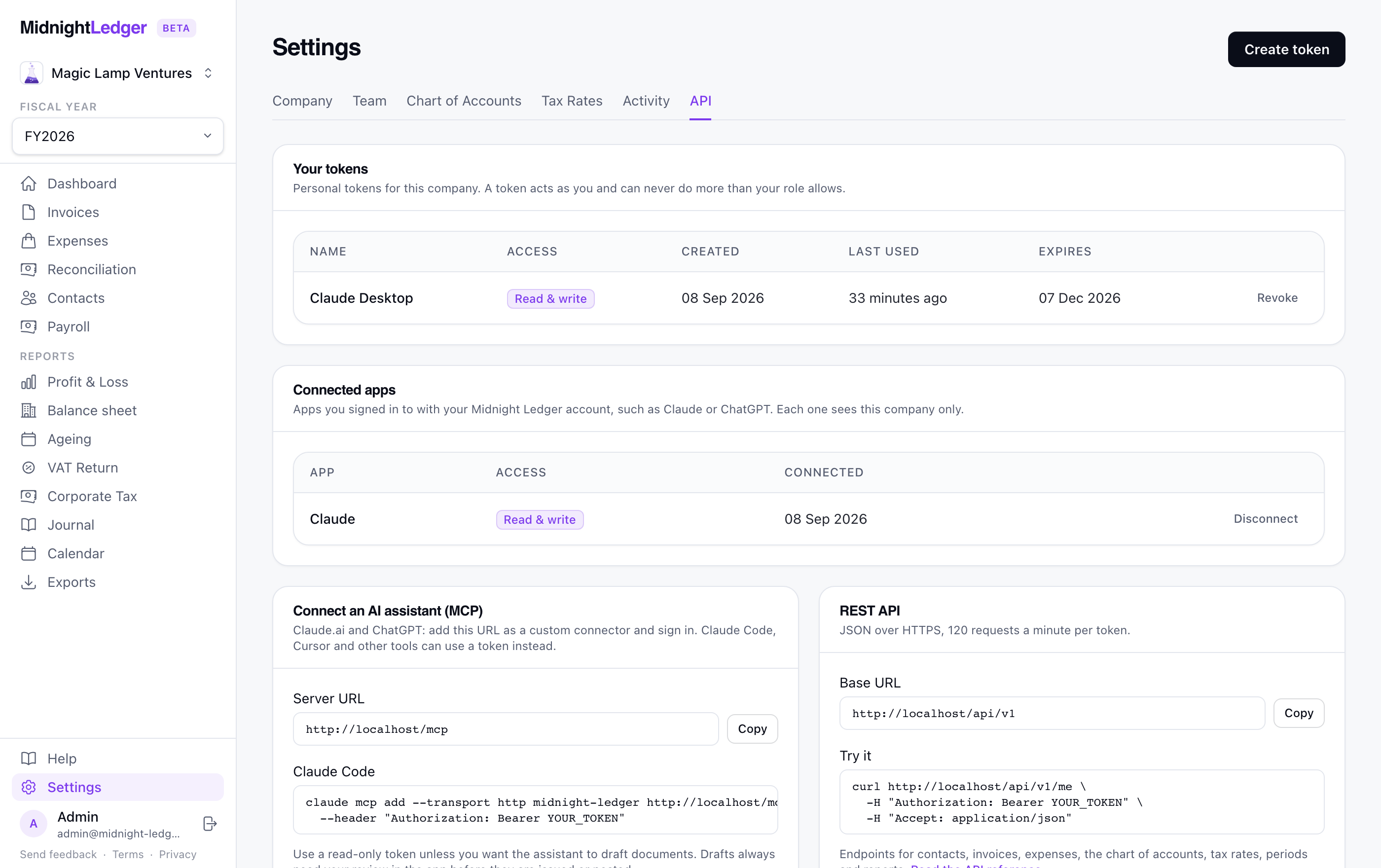
Connect Claude, ChatGPT, or your own tools
Add Midnight Ledger as a connector in Claude or ChatGPT and ask about your books in plain English. Behind it sits a REST API you can use from scripts and spreadsheets, with the same limits.
- Sign in from the assistant, choose the company, and decide whether it may create drafts
- Reads invoices, expenses, contacts, the VAT 201, P&L, balance sheet, and ageing; drafts invoices and bills for you to approve
- Never issues, posts, pays, or deletes: a person does that in the app
Also inside
Deadlines on a calendar
VAT periods, filing dates, and payroll obligations, so nothing official sneaks up on you.
A built-in UAE guide
Plain-English answers to the cryptic parts, linked from every confusing field.
Multiple companies
Run several companies under one login and switch in a click.
Invite your accountant
Team members get their own login, full or view-only, with everything they need for filings.
Recurring invoices & credit notes
Repeat billing on autopilot, and proper tax credit notes when things change.
Bring your old books with you
Import your chart of accounts, contacts, price list and closing trial balance. Exports from Zoho Books, QuickBooks and Xero upload as they come, and you see exactly what will happen before anything is written.
Receipts by email
Forward a supplier invoice to your private address and it arrives as a draft expense with the file attached, already being read. On Pro.
A saved price list
Store what you sell once. Pick it on an invoice or quote and the description, price, unit and VAT rate fill themselves in.
On your phone
Add it to your home screen and it opens like an app, with a shortcut straight to a new expense and a button that goes to the camera.
A real ledger underneath
Full journal, trial balance, balance sheet, manual entries, and opening balances when you need them.
Corporate tax view
See taxable profit and where you stand against the 0% band all year round.
Audit-ready by default
Two-factor sign-in, gapless numbering, locked filed periods, and an activity log behind every change.
Try it on your own books.
14 days of Pro to try it, a free plan that does not expire, and your data exportable at any time.